Delete your data
Last updated: July 22, 2026
Clearway keeps everything on your device — there are no accounts and no server holding a profile about you. That means you can erase your data at any time, directly from the app. Here’s how.
Delete everything from inside the app
- Open the Clearway app.
- Tap the settings icon in the top-left corner of the home screen.
- Scroll to the bottom, to the About section.
- Tap Delete my data.
- Confirm by tapping Delete everything.
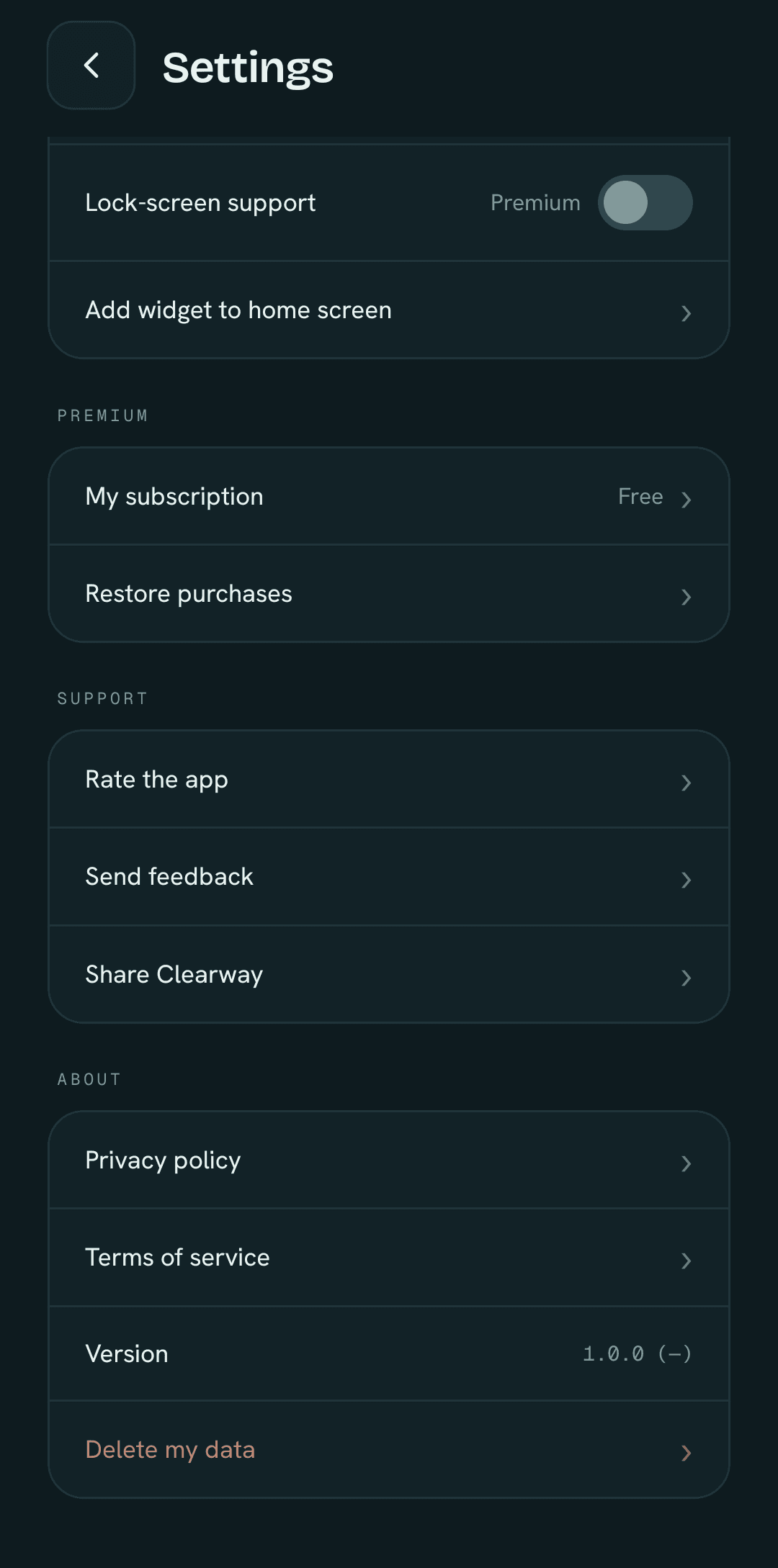
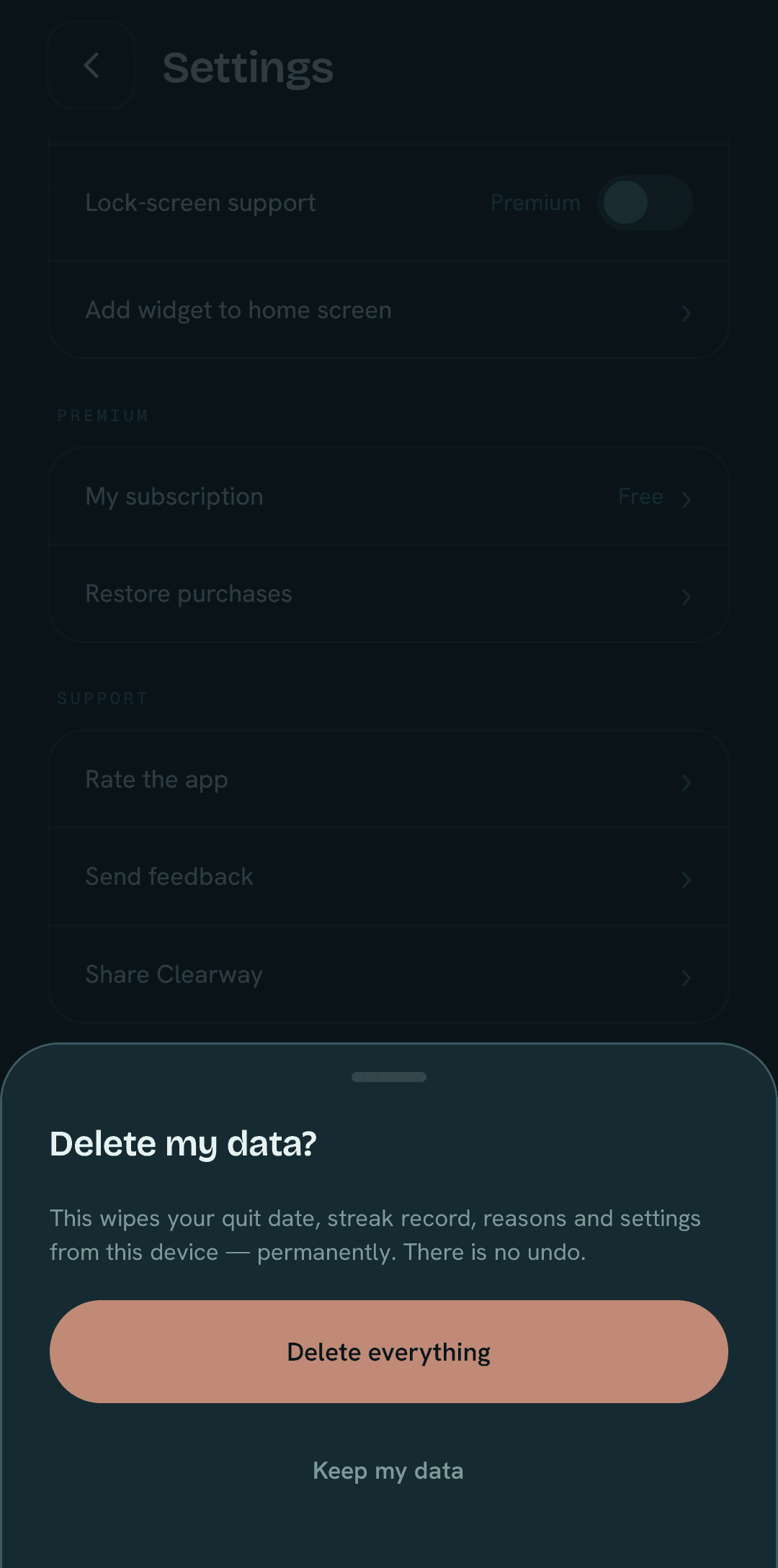
What gets deleted
This permanently wipes your quit date, your streak record, your reasons, and your settings from the device. There is no undo, so only do this if you’re sure.
Prefer to just uninstall?
Uninstalling Clearway also removes all of its on-device data. Once the app is gone, so is the local storage that held your progress — nothing is left behind on a server, because it was never there.
Analytics, feedback, and purchase data
Beyond your on-device data, a few providers process a limited amount of information on our behalf: PostHog (anonymous, aggregated usage events), Supabase (any feedback you chose to send us), and RevenueCat / Google Play (your subscription status and purchase records). This data isn’t removed by the in-app delete. To request its deletion, email us at the address below and we’ll take care of it.
Contact
Need help deleting your data, or want us to remove the analytics and purchase records tied to you? Email contact@dzeryhago.com and we’ll respond as soon as we can.